
Numbers you can actually trust.
Real-time P&L from the same data that powers your invoices. Top products by margin, sales by period, tax-ready exports, and audit logs, all built from your local transactions.
Inside the app
See it in action
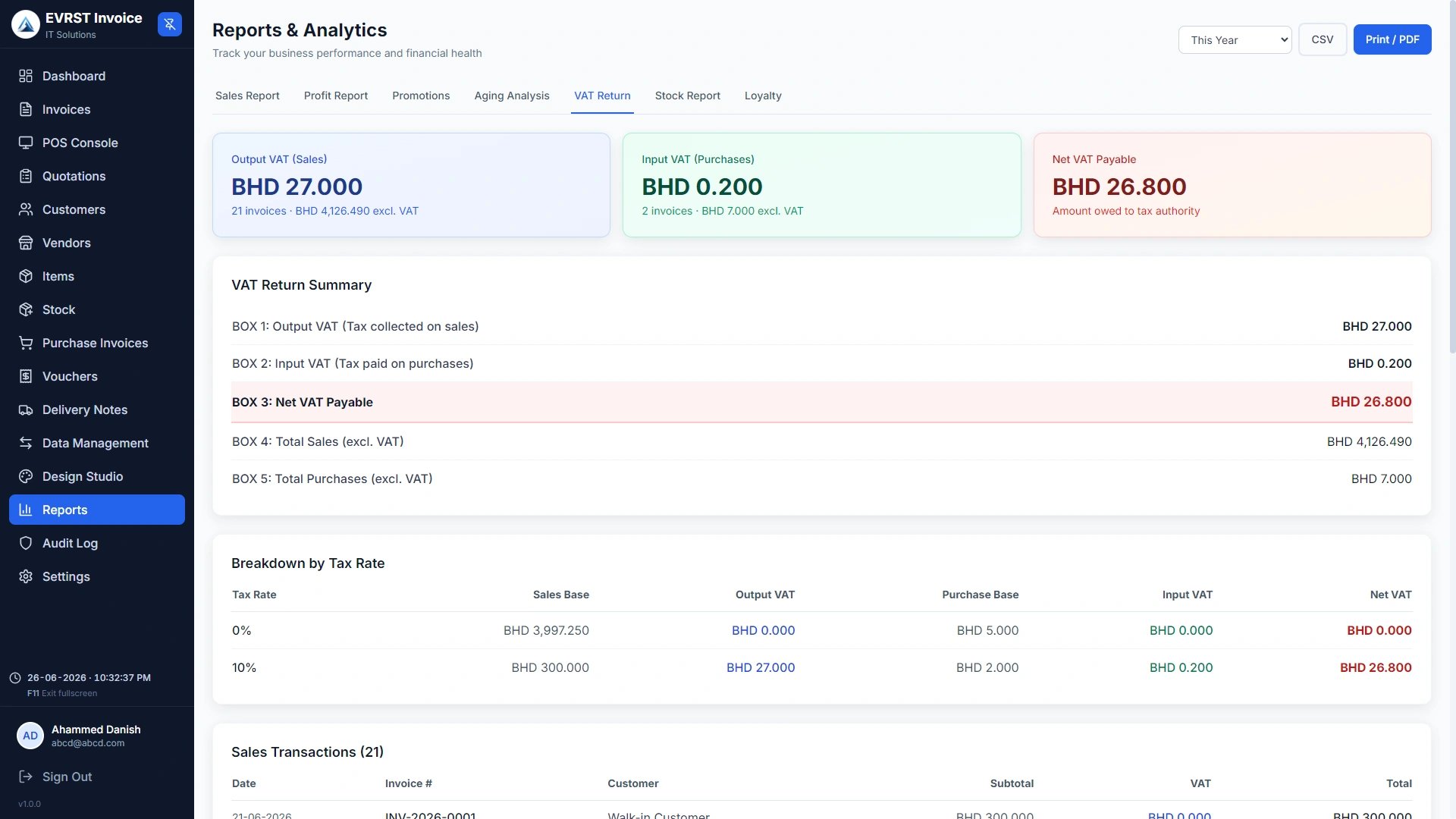
Built from your transactions. Not estimates.
EVRST's reports aren't a separate system waiting for you to sync data. They read directly from your invoice and inventory tables, so the report you see at 9am is the same one at 9pm, and the same one at tax time.
- ✓Real-time P&L (no nightly batch jobs)
- ✓Top products by revenue, margin, or units
- ✓Sales by period: day, week, month, quarter, custom
- ✓Tax-ready exports (GST/VAT, sales tax)
- ✓Cash-up report by tender type and cashier
Tax-ready exports, in your accountant's format.
Generate a sales tax summary for any period. Export as PDF (filing-ready) or CSV (spreadsheet-friendly). The math is computed from your invoice line items, no double-entry reconciliation required.
- ✓VAT (GCC) & GST (India) tax-ready summaries
- ✓Sales tax grouped by jurisdiction
- ✓CSV export for spreadsheet analysis
- ✓PDF export styled for filing
- ✓Period locking for closed tax periods
More reports
When the right module is on, more shows up.
These reports appear as soon as the matching module is toggled on. No extra setup, no separate screen to learn.
Goods that came back broken, by item and reason
Defective Returns shows what came back broken, why, and which items are the worst offenders. Review monthly to spot a supplier or product-line issue before it costs you.
Job counts, turnaround, technician workload
The Service report covers job counts by status, average turnaround, how much work each technician handled, and the revenue from completed jobs. Drop-off to delivered, in numbers.
Stop exporting CSVs and rebuilding them in Excel.
EVRST's reports are the same data as your invoices. The numbers reconcile because they're literally the same query.
Common Questions