
Roles, permissions, audit logs.
Four built-in roles, configurable per user. Every action is logged with user, timestamp, and the change made. Multi-counter LAN tills are shipped today. Multi-branch sync (running several branches with shared products and customers) is on our roadmap; talk to us if you run more than one location.
Inside the app
See it in action
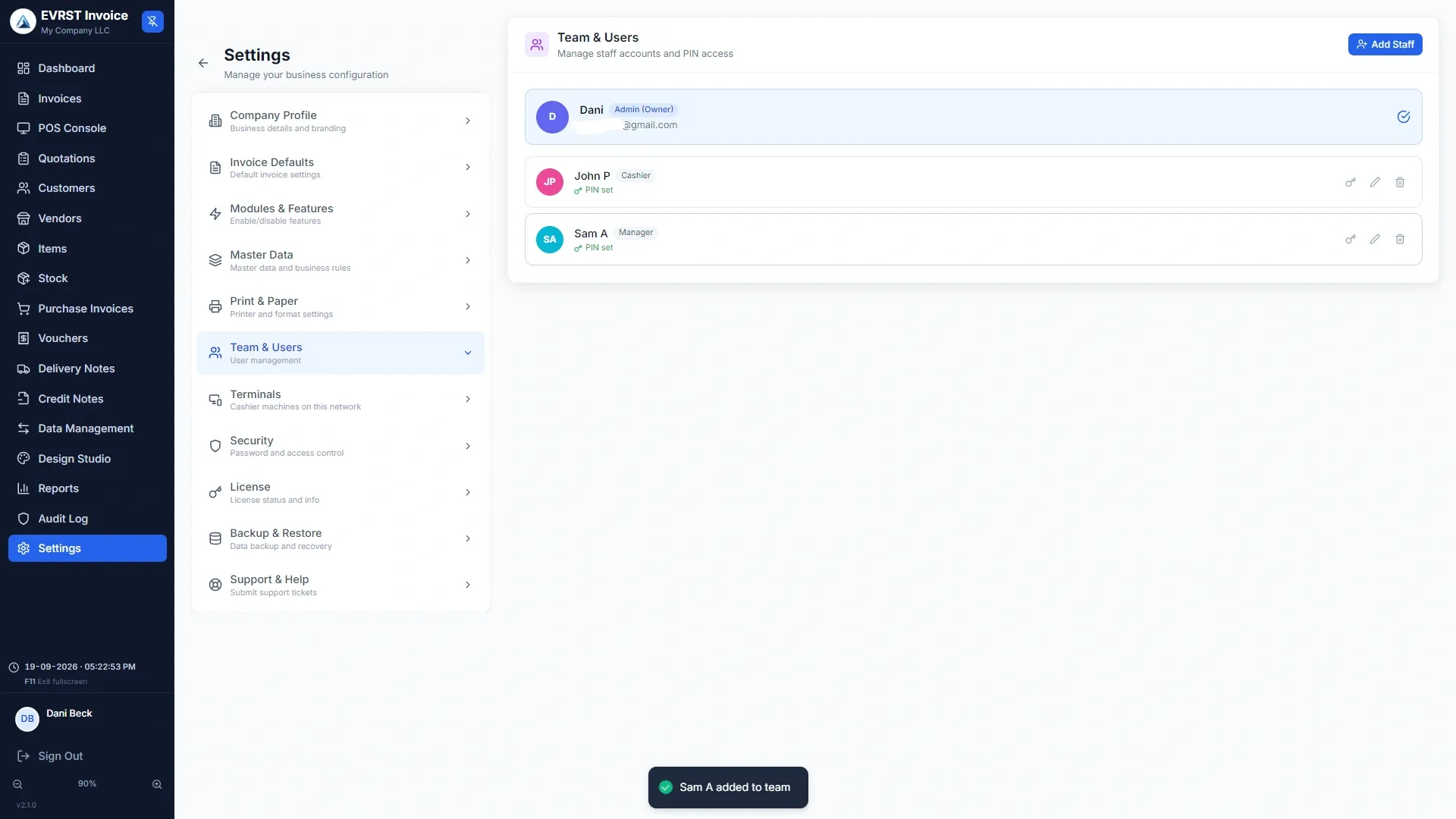
Built-in Roles
Four roles. Edit, don't replace.
Manager
Full system access. Manages users, settings, and pricing.
POS Cashier
Operations + void authority. Can reverse transactions and approve overrides.
Cashier
POS + receipts only. Cannot edit past transactions.
Viewer
Read-only access to reports. No transactional capability.
Every action, attributable and traceable.
The audit log captures who did what, when, and from which workstation. Filter by user, action, or date range. Export to CSV for compliance reviews.
- ✓Every login, sale, override, and void logged
- ✓Workstation IP captured for traceability
- ✓Filter by user, action, or date range
- ✓Export to CSV for compliance reviews
One company today. Multiple branches, on the way.
Today, one license runs one business across a Main Server plus up to five cashier tills on your local network. Multi-branch sync across separate businesses is on our roadmap: add branches, share one product catalog, and roll up reports at the company level, while each branch keeps its own stock and sales.
- ✓Sync over your local network, no cloud required
- ✓Per-location stock, pricing, and reporting
- ✓Unified customer accounts and product catalog
- ✓Inter-location stock transfers with audit trail
Small teams. Real accountability.
EVRST's role system is opinionated but flexible. Configure each role's exact permissions, or start with the four defaults and adjust as you grow.
New in 2.1.0
Who did what, and who is at the counter.
Every action, with the person, the till and the time.
Reports > Audit Log records every create, edit, delete, refund, void, payment, stock adjustment, cash-drawer open, manual discount, login and supervisor override.
- ✓Filter by action, by user, or by date, and click any entry to open the document
- ✓Entries older than 24 months are trimmed automatically; you can change or disable that
- ✓Changing the trim period asks for the owner password, and the change is itself logged
- ✓Trimming only ever touches the trail; invoices, payments and stock history are untouched
Hand the till over in four digits.
Each person signs in with their own password. Inside a shift, set a PIN per user and the till can change hands without a full password. Auto-lock covers the case everyone forgets.
- ✓Set an inactivity timeout and EVRST locks itself after that long untouched
- ✓Unlocking takes the PIN, and the screen you were on comes straight back
- ✓Supervisor is a password, not a role: it gates the actions you choose
- ✓Gate deletions, edits to finalised invoices, large discounts, and drawer opens
Common Questions