
From drop-off to paid,
on one ticket.
Run an auto garage, a phone or computer repair bench, an appliance shop, or any business that takes an item in for work. Capture the device, the fault, the technician, and the parts and labour, then bill it to an invoice without re-entering a thing.
Inside the app
See it in action
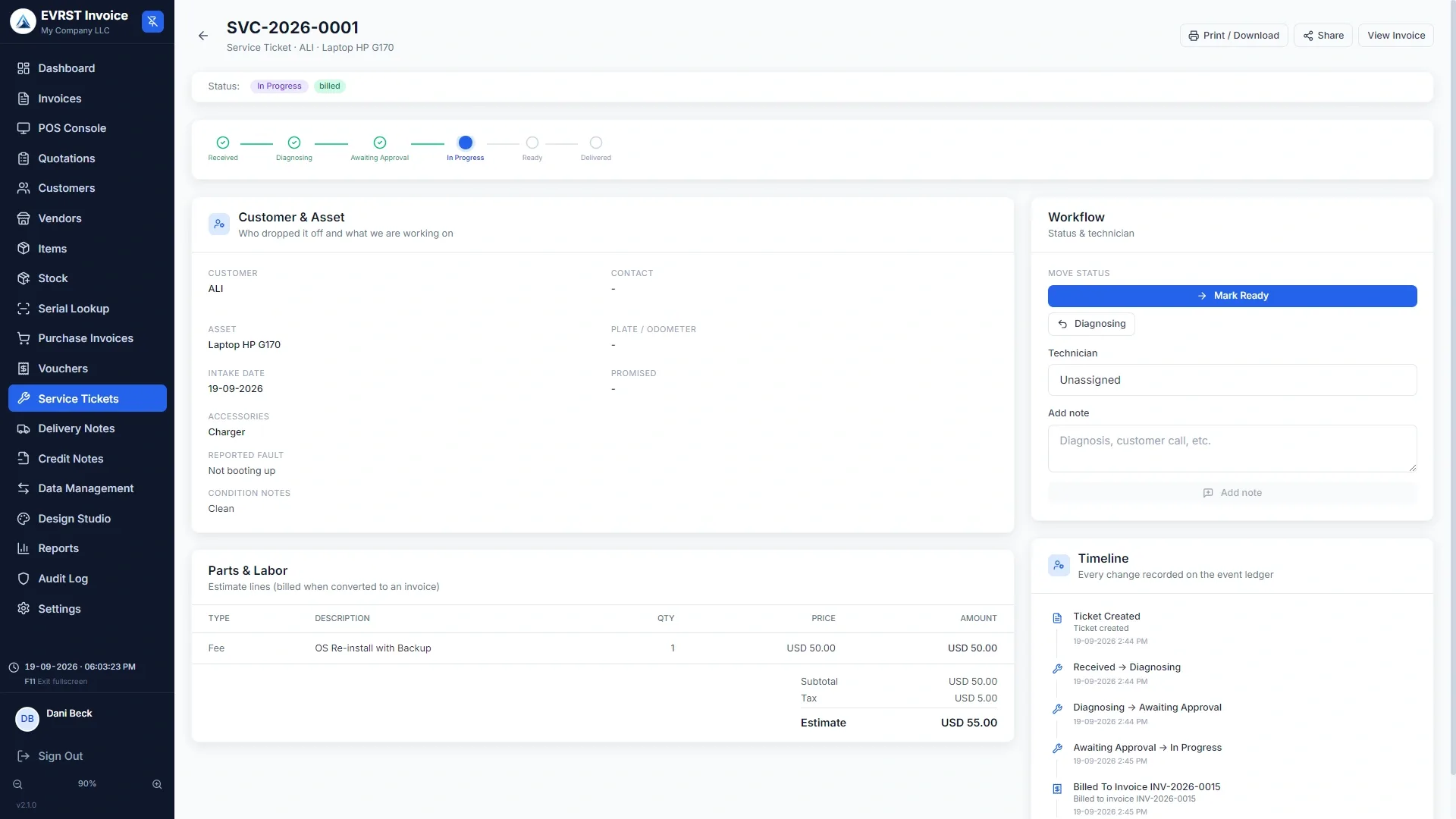
Every job, one ticket.
Open a ticket the moment a customer drops something off, work it through clear stages, and keep their full service history in one place.
-
1Pick the customerSearch your customer list, or add a walk-in right inside the ticket.
-
2Capture the assetType, brand, model, serial / IMEI / VIN, plate, odometer, and the accessories handed over.
-
3Log the faultDescribe the reported fault and note the device condition at intake.
-
4Assign a technicianPick who is on it and set a promised date if you have one.
-
5Add parts and labourBuild the estimate from your items and labour lines.
-
6Save and print the job cardHand the customer a printed job card at drop-off.
Bill the job in one click. Nothing double-entered.
When the work is finished, turn the ticket into an invoice with the same parts and labour, attached to the same customer. A ticket only ever touches your books through this invoice, so your numbers are never double-counted.
- ✓One tap creates the invoice with the same parts and labour
- ✓Parts deduct from stock at billing, exactly like any other sale
- ✓Take payment as normal, including split across cash and card
- ✓Billed tickets lock; to undo, void the linked invoice first
Lifecycle
Six stages, from drop-off to handover.
Logged at drop-off. Asset and fault on record.
Technician inspecting. Findings added as notes.
Quote sent. Waiting on the customer's go-ahead.
Approved and under repair. Parts and labour tracked.
Work done. Customer notified for pickup.
Handed back and billed. History kept on the customer.
Behind the counter
Technicians and printing, sorted.
Technicians
Add your mechanics and technicians under master data. They are not software users and need no login. Pick them when assigning a job, and reports show each one's ticket count and revenue. If someone leaves, removing them keeps their name on past tickets and just hides them from new jobs.
Printing
Print a Job Card at drop-off: the full intake sheet with asset details, reported fault, the parts and labour estimate, your terms, and a customer signature line. At pickup, print a Ready-for-Pickup Slip with the final status and amount due. Both follow your Design Studio branding and save as PDF.
Take in the next job on a ticket, not a notebook.
Service Tickets is an optional module. Switch it on when you need it and off when you don't, retail-only shops never see it.
Common Questions